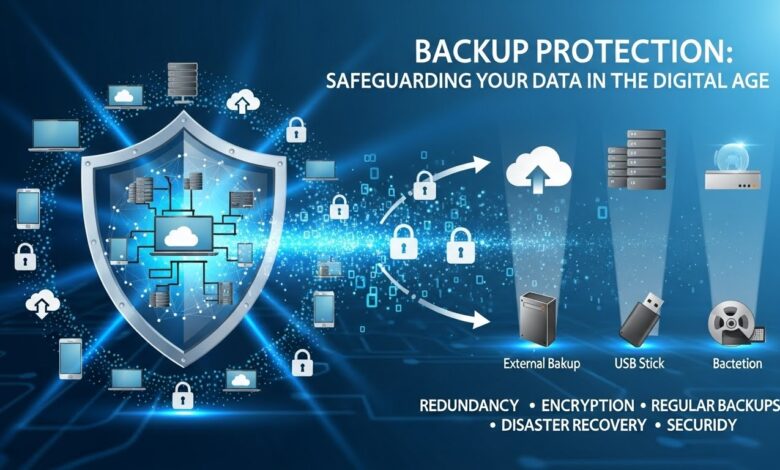
In a world where our lives are increasingly digital, the importance of backup protection cannot be overstated. From cherished family photos to crucial work documents, your data is irreplaceable. But what happens when technology fails or accidents occur? The consequences can be devastating. Imagine losing years of memories or critical information in just a blink of an eye.
That’s why understanding how to safeguard your data is essential in today’s fast-paced environment. Whether you’re a casual user or running a business, implementing effective backup strategies can provide peace of mind and security you can’t afford to overlook. Let’s dive into the essentials of backup protection and discover how you can keep your valuable data safe from unexpected disasters.
The Importance of Backing Up Your Data
Backing up your data is a critical safety net in an unpredictable digital landscape. Every day, we store valuable information on our devices, from important documents to personal memories. Without proper backup protection, this data hangs by a thread.
Data loss can strike at any moment—be it hardware failure, accidental deletion, or even cyberattacks. The risk is real and often underestimated. Imagine losing that cherished family video or vital work project due to a single misstep.
Having backups ensures that you’re prepared for the unexpected. It allows you to recover quickly without debilitating downtime or emotional distress. With multiple copies of your files stored securely elsewhere, you gain confidence knowing that your essential information remains intact.
In today’s world, where every byte matters more than ever before, investing time in backup strategies isn’t just smart; it’s necessary for anyone who values their digital footprint.
Common Causes of Data Loss
Data loss can strike when you least expect it. One of the most common culprits is hardware failure. Hard drives wear out over time, and sudden malfunctions can lead to irreversible data loss.
Human error also plays a significant role. Accidental deletions or formatting mistakes happen more often than one might think. A simple slip of the finger can wipe out important files in seconds.
Malware and cyberattacks are increasingly prevalent threats. Ransomware can lock your files away, leaving you at the mercy of hackers unless you’ve taken preventative measures.
Natural disasters add another layer of risk. Floods, fires, or earthquakes can destroy physical devices holding critical information.
Software corruption leads to troublesome scenarios where files become inaccessible due to glitches or crashes during updates. Protecting your data means being aware of these potential pitfalls and taking action before it’s too late.
Different Types of Backup Protection
When it comes to backup protection, understanding your options is key. One popular method is full backups, which create a complete copy of all your data. This approach offers simplicity but can consume significant time and storage.
Incremental backups are another efficient choice. They only save changes made since the last backup, minimizing both time and space requirements. However, restoring files may take longer as you’ll need to piece together multiple sets of data.
Differential backups strike a balance between the two methods. They capture changes from the last full backup, allowing quicker restoration while still being more storage-efficient than a complete backup.
For those needing flexibility, there’s continuous data protection (CDP). This method automatically saves changes in real-time. It ensures that you’re always up-to-date with minimal loss during unforeseen events or system failures. Each type has its own strengths tailored to different needs.
Cloud Storage Solutions
Cloud storage solutions have transformed how we manage our data. They allow users to store files remotely, providing easy access from anywhere with an internet connection.
With services like Google Drive, Dropbox, and OneDrive, you can upload documents, photos, and videos without the need for physical hardware. This flexibility is a game-changer.
Security features such as encryption ensure that your data remains safe in the cloud. Most providers also offer options to share files securely with others while maintaining control over who sees what.
Another advantage is automatic backup capabilities. Many platforms allow you to set up regular backups seamlessly. You can rest easy knowing your important information is protected against various threats.
Affordability is a significant benefit as well. With plans ranging from free tiers to affordable subscriptions, there’s likely an option that meets your needs without breaking the bank.
External Hard Drives and USBs
External hard drives and USBs are popular choices for backup protection. They offer a tangible way to store important files away from your primary device.
These devices typically provide ample storage space, catering to both casual users and professionals alike. With sizes ranging from a few gigabytes to multiple terabytes, you can find something that fits your needs perfectly.
The portability of USB drives is another advantage. You can easily slip one into your pocket or bag, making it convenient for on-the-go data transfers or backups.
Using an external hard drive allows for quick access to large files without the need for internet connectivity. This is particularly useful when working with high-definition videos or extensive databases.
However, remember that these physical devices are susceptible to damage or loss. Regularly check their functionality and ensure they remain in a safe environment free from extreme conditions.
Online Backup Services
Online backup services offer a seamless way to protect your data in the cloud. They automatically save your files, providing peace of mind without requiring manual effort.
These services typically support various file types and sizes, making them versatile for both personal and business use. Most platforms come with robust encryption, ensuring that your sensitive information remains secure during transmission and storage.
With easy access from any internet-enabled device, you can retrieve your backups whenever needed. This flexibility is crucial for users who travel or work remotely.
Additionally, many online backup providers offer incremental backups. This means only changes made since the last backup are saved, optimizing storage space and reducing upload times.
Choosing the right service often depends on factors like pricing plans and available features. It’s essential to evaluate options thoroughly to find one that suits your specific needs while providing reliable protection against data loss.
Creating a Backup Plan
Creating a backup plan is essential for anyone who values their data. Start by assessing what information you need to protect. This could include documents, photos, and crucial software.
Next, determine how often you’ll back up your data. Daily backups may work best for critical files, while weekly or monthly might suffice for less important items. Consistency is key in ensuring nothing slips through the cracks.
Choose the methods that suit your lifestyle and needs. A combination of cloud storage and physical devices often offers the best protection.
Don’t forget to test your backups regularly. You want to ensure that when disaster strikes, everything can be recovered without hassle.
Document your backup process clearly so others can follow it if needed. Keeping this plan updated will save time and stress down the line as technology changes or new threats emerge.
Tips for Maintaining and Updating Your Backups
Maintaining your backups is just as critical as creating them. Regularly check the integrity of your backup files. A corrupt file won’t help you when disaster strikes.
Schedule routine updates for your backup system. Set aside time weekly or monthly to ensure all new data gets saved. Consistency is key in avoiding gaps.
Consider multiple storage locations to enhance security. Keeping a copy on-site and another off-site minimizes risk from theft or disasters like fire or flooding.
Stay organized by labeling each backup clearly with dates and contents. This practice makes it easier to locate specific files when needed.
Don’t forget about software updates for any tools you’re using for backups. Outdated programs can lead to vulnerabilities that put your data at risk, undermining your entire backup protection strategy.
Recovering Lost Data
Losing data can feel like a nightmare. Whether it’s an accidental deletion, hardware failure, or a cyber attack, the impact is often significant.
Fortunately, recovery options exist. First, check your recycle bin or trash folder; sometimes files sit there waiting to be restored. If you’re lucky enough to find them there, it’s an easy fix.
For more serious issues, specialized software can help recover lost files from hard drives and storage devices. These programs scan for remnants of deleted data and attempt to restore them.
If DIY methods don’t work, professional services are available. Data recovery experts use advanced techniques that might save crucial information when all else fails.
Acting quickly increases the chances of success in recovering lost data. Delaying too long may lead to irreversible loss as new data overwrites existing files on your device.
Conclusion
Protecting your data is no longer optional; it’s essential in today’s digital landscape. The risks are real, with various threats lurking at every corner. From hardware failures to cyber attacks, the reasons for data loss are numerous and often unexpected. By understanding the importance of backup protection, you can take proactive steps to safeguard your valuable information.
Utilizing different types of backup solutions allows you to tailor your approach based on your specific needs. Whether opting for cloud storage or external hard drives, ensuring that backups exist across multiple platforms creates a safety net against potential loss. Regularly updating these backups and having a clear recovery plan will further enhance your security posture.
Embracing good habits when it comes to data management can significantly reduce anxiety about losing important files or cherished memories. With careful planning and execution of an effective backup strategy, you’re setting yourself up for peace of mind in the ever-evolving digital age.
Invest time now to protect what matters most — because once data is lost, recovering it might not be as easy as you’d hope.